SuperSplat vs Spatial Studio: Editor vs Full Workflow
Compare SuperSplat and Spatial Studio by workflow fit: splat editing, cloud generation, guided tours, embeds, CTAs, and analytics.

Compare SuperSplat and Spatial Studio by workflow fit: splat editing, cloud generation, guided tours, embeds, CTAs, and analytics.
SuperSplat is useful for editing splats; Spatial Studio is useful when the workflow needs cloud splat generation, review, guided tours, links, embeds, CTAs, and analytics.
Short answer
PlayCanvas describes SuperSplat as a browser-based editor for 3D Gaussian splats.
SuperSplat is useful for editing splats; Spatial Studio is useful when the workflow needs cloud splat generation, review, guided tours, links, embeds, CTAs, and analytics. Choose by the job: raw scene editing is different from delivering a hosted tour that clients, buyers, guests, or stakeholders can use.
Real Horizons supports the full Spatial Studio workflow: cloud Gaussian splat generation from smartphone video, 360 cameras, 360 drones, standard drone footage, DSLR/photo sets, and mixed media, followed by review, optimization, guided tour authoring, embeds, CTAs, and analytics.
For background, see PlayCanvas SuperSplat launch post. Use it to compare against your own capture and publishing needs before choosing a stack.
How to judge the workflow
| Area | What to check | Why it matters |
|---|---|---|
| Input and format | Check what the tool opens, exports, and preserves. | Compatibility affects the whole stack. |
| Editing | Clean, crop, inspect, and optimize before sharing. | A messy scene weakens trust. |
| Delivery | Share as a browser tour with context and tracking. | The client usually needs more than a raw viewer. |
Practical checklist
- Use an editor to inspect and clean the scene.
- Use a full workflow platform when the audience needs generation, navigation, and context.
- Add labels for rooms or zones.
- Embed the finished tour on the right page.
- Measure CTA clicks after the link is shared.
Where this fits in a Real Horizons workflow
Use the capture source that fits the job. Real Horizons can generate the splat from that source, help you review and optimize the scene, and turn it into a tour the audience can open without extra explanation.
For a property, that may mean named room stops, finish hotspots, an inquiry CTA, and a link the agent can send. For a hotel, venue, campus, museum, or construction site, it may mean guided zones, access notes, booking context, or stakeholder comments.
The capture is the input. The generated splat is the spatial asset. The published tour is the deliverable clients and visitors actually use.
Why Real Horizons is different
Real Horizons covers more than hosting a finished splat. Spatial Studio includes cloud Gaussian splat generation for captures from smartphones, 360 cameras, 360 drones, standard drones, DSLR/photo sets, and mixed media workflows. That matters when a team wants one path from raw footage to a usable spatial tour instead of stitching together separate tools for capture processing, viewer setup, publishing, and client delivery.
The value is the combined workflow: generate the splat, review the scene, set the opening view, add guided stops or hotspots, publish the browser link, and measure whether visitors actually use it. For teams comparing Scaniverse, Splatica, Polycam, Matterport-style scans, or standalone viewers, the practical comparison is generation quality, input flexibility, clear pricing, and how much work remains before the result becomes a client-ready tour.
Common mistakes
- Judging the result only inside a raw viewer.
- Forgetting the first view, so visitors open into a confusing angle.
- Adding too many labels instead of a clear route.
- Sending a heavy scene without testing a normal phone.
- Treating the same capture method as right for every project.
What the finished tour should prove
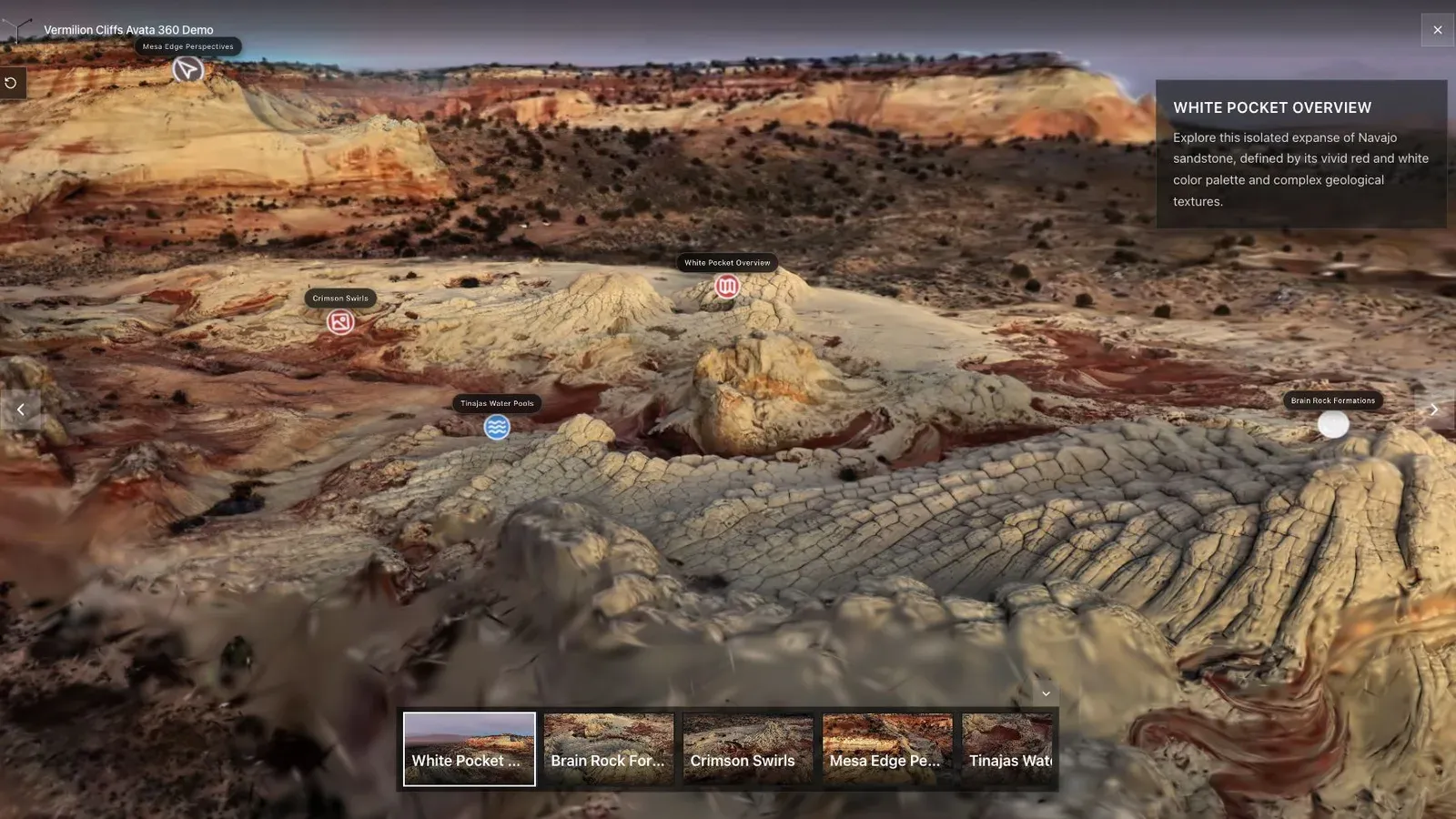
A landscape splat works best when the opening view explains scale, terrain, and the path through the scene.
A viewer, editor, optimizer, or file-format choice should be judged by the tour it helps produce. The first published angle should load cleanly, show the subject clearly, and make the next action obvious. For SuperSplat users, splat creators, and media teams, this is more useful than a feature checklist that never reaches a real visitor.
Use the public tour view as a quality gate. Check whether movement feels controlled, whether labels and stops are readable, and whether the scene still works after compression or hosting changes. If the tour only looks good in an editor but feels weak in the browser, the workflow is not ready for a client handoff.
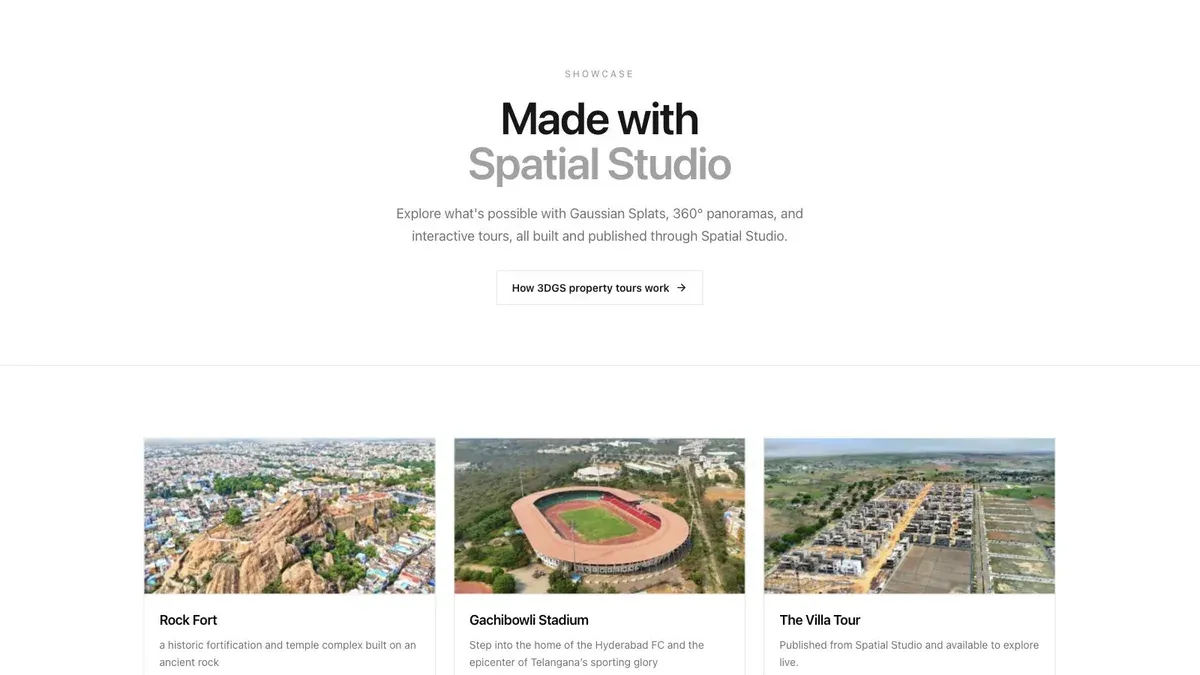
A showcase grid lets buyers or clients scan several finished tours before opening one.
The publishing step keeps tool choices tied to the visitor experience. File size, format, cleanup, and hosting decisions all affect what visitors see after they click the link. Keep the workflow simple enough to repeat: source capture, generated splat, cleaned scene, reviewed first view, published link, mobile check, and one clear next step.
Keep the handoff organized around the actual workflow: source file, cleaned scene, optimized model, published tour, and review link. For a broader look at the stack, compare Gaussian Splatting Software with Splat Virtual Tour Software.
Related reading
Frequently asked questions
Can this workflow support client work?
Yes, when the workflow is matched to a real visitor need. It should produce a tour, link, embed, or sales asset that someone outside the production team can use.
What should I check before using this on a paid project?
Check capture quality, mobile load behavior, first view, labels, hotspots, and the CTA path. A quick internal test helps prevent a poor paid-project handoff.
Where does Spatial Studio fit?
Spatial Studio brings cloud splat generation and tour authoring into one workflow: upload source media, generate a Gaussian splat, review the scene, add guided context, publish a browser link, and track visitor actions.
Does every project need a Gaussian splat?
No. Photos, 360 panoramas, and video can still be the right answer. Use splats when spatial movement and depth help the visitor make a better decision.
How should I measure the result?
Track tour opens, source campaigns, waypoint use, hotspot clicks, CTA clicks, and follow-up quality. Those signals matter more than the file format alone.
Next step
Pick one real space, capture it carefully, generate the splat in Real Horizons, publish it as a guided tour, and judge the result by whether a visitor understands the place and takes the next step.
Next step
Open the related workflow.
Review live examples or move straight into the matching Spatial Studio flow.
Continue reading
Related articles
Splat Tools
Gaussian Splat Editor: Clean, Crop, Optimize, Publish
Understand what a Gaussian splat editor should handle before publishing: cleanup, crop, optimization, format checks, and client-ready delivery.
Read articleSplat Tools
Gaussian Splat Hosting: What Matters for Client Tours
Evaluate Gaussian splat hosting for client tours by generation workflow, performance, access control, embeds, updates, analytics, and reliable links.
Read article