3D tours for real-world places
Spatial Studio
Upload captures, build interactive tours, and share real spaces with Gaussian Splatting, 360° panoramas, and Google 3D Maps.
Core Capabilities
Generate the scene.
Author the story.
Present it like a product.
Spatial Studio turns complex 3D production into a polished publishing workflow that connects capture, generation, authoring, and presentation in one continuous system.
Live context layer
01 / 05
City to interior context
Unified Spatial Engine
Blend Google 3D Maps, 360 panoramas, and Gaussian Splats in one continuous narrative. Move from neighborhood context to room-level detail without changing tools.
Maps · 360 · Splats
Explore capabilities
Comparing Gaussian splats, 3DGS tours, 360 panoramas, or Matterport-style scans for a property workflow?
View the 3D tour workflowBuilt to publish and measure
Turn more attention into tours, clicks, and qualified demand.
Launch quickly, hold visitors inside the experience, and guide them toward the next action with measurable, conversion-focused storytelling.
Tour views
Tracked
See how many visitors open each published tour.
Session time
Measured
Understand how long visitors spend inside the experience.
CTA clicks
Captured
Track clicks on embedded calls to action and tour buttons.
New Capture Mode
360 Pano Video to Splat.
Upload panoramic footage from a 360 camera, convert it into a Gaussian Splat, and keep editing the tour in Spatial Studio.
Read the 360 video workflow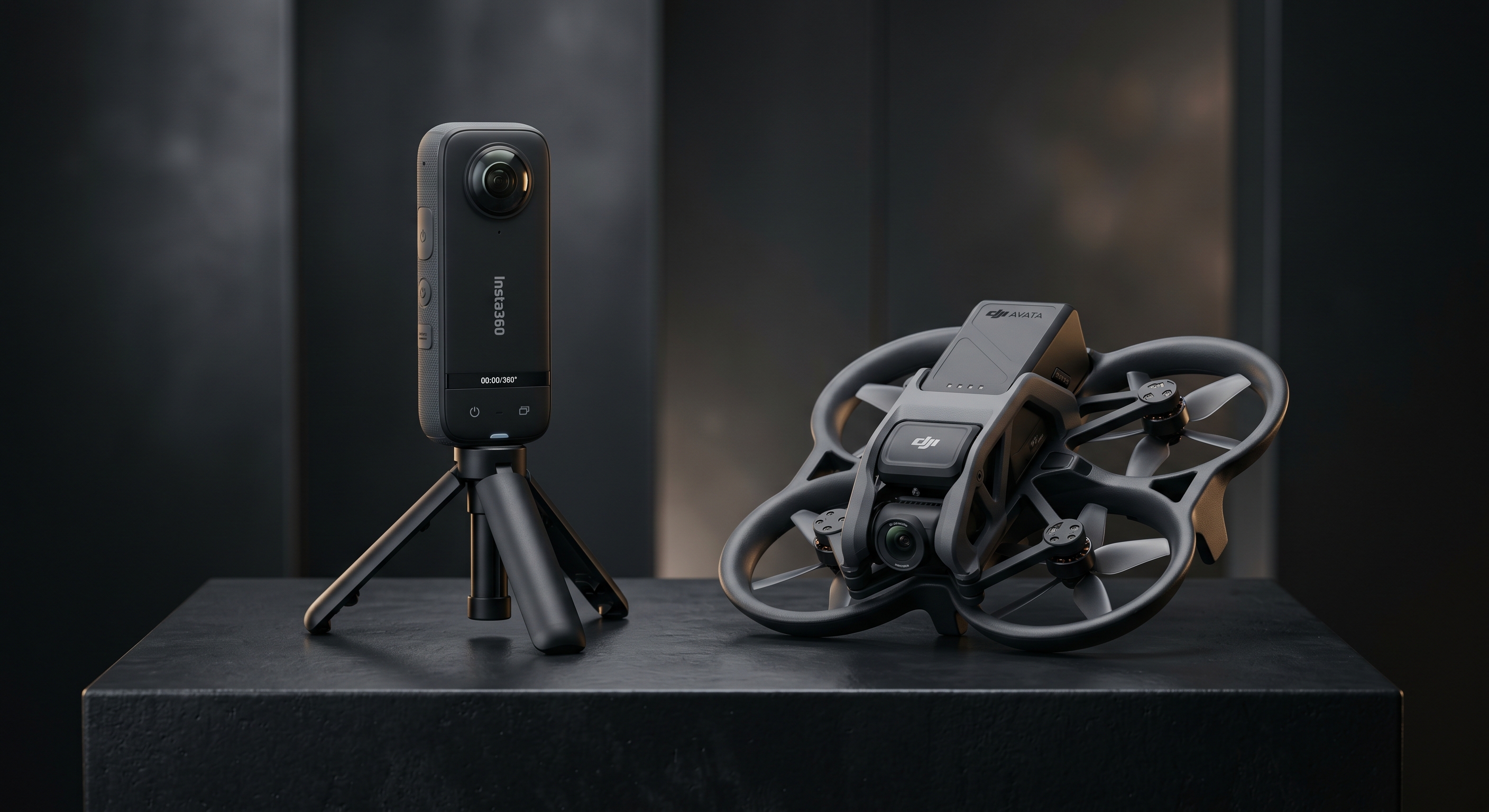
Step 1
Record 360 pano footage
Step 2
Convert to Gaussian Splat
Step 3
Publish as an immersive tour
Keep capture upload, splat generation, tour editing, and publishing in one workflow.
AI Reframe
Reimagine any space inside your splat tour.
AI design partner
Restyle a room with new materials, lighting, palette, and mood without ever leaving the tour.
Geometry preserved
Walls, openings, perspective, and camera angle stay true to the original capture.
Marketing-ready output
Hero shots, listing imagery, social assets, and pitch decks all pulled from the same scene.
Drop in references
Pick up to four context images that capture the mood, materials, or palette you want to reach for.
Describe the direction
A short prompt like “warm modern living room, lighter floors, brass accents” guides the redesign while geometry, openings, and angle stay intact.
Reimagine in seconds
Generate a fresh take on the room at up to 4K, then drop it back into your splat tour as a Reframe view.
Unified Spatial Presentation
Map context, splats, and room views in one place.
Move from the surrounding area to a walkable scene, then into room-level detail without sending visitors to separate tools.
Macro
Google 3D Maps
Place properties in their real-world location with city context, nearby roads, and neighborhood views.
Meso
Gaussian Splatting
Capture organic shapes, reflections, and natural lighting in 3D. Embed splats into maps for context or use them as standalone tours.
Micro
360° Panoramas
Move into rooms through hotspots. Inspect finishes, read visible details, and give viewers a clear look at interior spaces.
How It Works
Phone to Tour.
Capture with Spatial Lens on the App Store, then turn on-site footage into a published, interactive 3D tour with analytics end-to-end in the cloud.
Capture with Spatial Lens
Use Spatial Lens on iPhone to capture a space on site, then send the footage straight into your tour workflow.
Cloud Processes It
Our pipeline transforms your footage into an optimized Gaussian Splat, handling alignment, quality, and LOD automatically.
Author & Annotate
Use the scene editor to add annotations, hotspots, CTAs, and floor plans. Or let Spatial Sense AI auto-annotate for you.
Publish & Analyze
Share a professional tour link instantly. Track views, sessions, traffic sources, devices, and CTA clicks from the tour dashboard.
Spatial Lens on the App Store.
Capture spaces directly from your phone with Spatial Lens, then let Spatial Studio turn that footage into professional splats and tours.
AI Annotations
Spatial Sense
Spatial Sense helps identify rooms, amenities, views, and other points of interest in a captured scene. Use a prompt to generate draft annotations, then review and publish them inside the tour.
Upload Your Scene
Use a Gaussian Splat from drone footage, phone scans, or photogrammetry.
Prompt the AI
Ask for room labels, amenity callouts, or a short note about a balcony view.
Get Annotated Scenes
Review the suggested titles and descriptions, then publish the useful ones.
Platform Intelligence
Power Under the Hood.
Cloud processing, optimization, analytics, and export tools help turn captured spaces into published tours.
Cloud Splat Generation
Upload raw video, images, or SFM-aligned photogrammetry. Our cloud pipeline delivers optimized Gaussian Splats with customizable quality, LOD, and ground alignment.
LOD Streaming
Built-in Level of Detail and dynamic streaming ensure smooth, high-performance playback of complex 3D environments across all modern browsers and devices.
Engagement Analytics
Track tour performance with views, session time, unique visitors, devices, traffic sources, CTA clicks, and per-tour reporting.
Social Media Export
Generate cinematic fly-through videos of your tours and export them directly for sharing across social platforms.
Workflow Map
One tour workflow.
Four product areas.
A quick map of Spatial Studio capabilities, with upcoming pieces shown as open circles.
Capture
Capture source media
Guided Capture App
Mobile guidance for collecting tour media
Cloud Splat Generation
Convert video and images into Gaussian Splats
Auto Floor Plans
SoonGenerate floor plans from captured spaces
Visualize
Show the scene
Unified Spatial Engine
Google 3D Maps, Splats, and 360° panoramas
LOD Streaming
Level-of-detail streaming for large scenes
Environmental Controls
Skybox presets, color and brightness per scene
Tour Interactions
Hotspots, annotations, CTAs, and guided transitions
Intelligence
Add scene context
Spatial Sense AI
Prompt-based suggestions for scene annotations
Voice Annotations
Recorded or generated narration for hotspots
Virtual Staging
Scene restyling and furniture staging
Multi-Language Tours
Translated annotations and narration
AI Voice Chat
SoonConversational tour guidance with scene context
Distribute
Share and measure
Engagement Analytics
Views, sessions, traffic sources, and CTA clicks
PropTech Suite
SoonUnit selectors and floor plan overlays
Social Media Export
SoonFly-through videos for Instagram, TikTok, and more
Future extensions
Planned platform additions
AR/VR Support
SoonNative Apple Vision Pro and Meta Quest integration
ArchViz Suite
SoonDedicated architectural visualization and design review tools
Need a specific 3D tour workflow?
Tell us about the spaces you capture, the people who need to view them, and the handoff you need to support.
Get in TouchWho It's For
Built for Those Who Shape Space
From premium real estate to architectural showcasing, with purpose-built tools for professionals who need to present spaces rather than models alone.
Blog
Start with the property work you sell.
Choose a track for photographers, developers, or brokerage teams. Each one links to the relevant solution page and supporting guides.
FAQ
Frequently Asked Questions
Everything you need to know about the platform.
Start Building Today
Turn Spaces Into Stories.
Create a tour, add context, and share it with clients, buyers, guests, or project teams.